

The Few Tech Tools That Actually Move the Needle for Small Businesses
TL;DR
You don't need a big tech budget to compete: automation, a simple customer list, a point-of-sale system that talks to your books, a real online presence, and text-based communication save more owner-hours than almost anything else, and you can add them one at a time.
Automate the Repetitive Stuff First
Before you buy any new software, walk through a normal week and write down every task you or your staff do the exact same way, over and over:
- Confirming appointments
- Sending invoices
- Texting a customer to say their order is ready
- Reordering the same box of gloves or napkins every month
Those repeated tasks are exactly what software is good at, and fixing even one of them frees up real hours, not hours you'll spend on something else eventually, hours you get back this week.
A scheduling tool that sends automatic appointment reminders is the clearest example. No-shows cost a nail salon, a barbershop, or a massage therapist real money every week, and a text reminder sent the day before cuts that down without anyone having to make a phone call. Invoicing software that lets a customer pay with a tap, instead of you chasing a check or a Venmo screenshot, does the same thing for cash flow: you get paid faster because paying you got easier.
Start with the single task that eats the most of your week, not the tool with the most features. If restocking is what eats your Sunday night, look for a tool that handles restocking. If it's answering the same three questions by phone all day, are you open, do you take walk-ins, how much does this cost, that's the one to fix first, even if it's the least exciting thing on the list. More of that automation now runs on AI rather than simple rules-based software, so it's worth knowing where AI specifically saves time before assuming it's overkill for a business your size.
One Place to See Your Customers
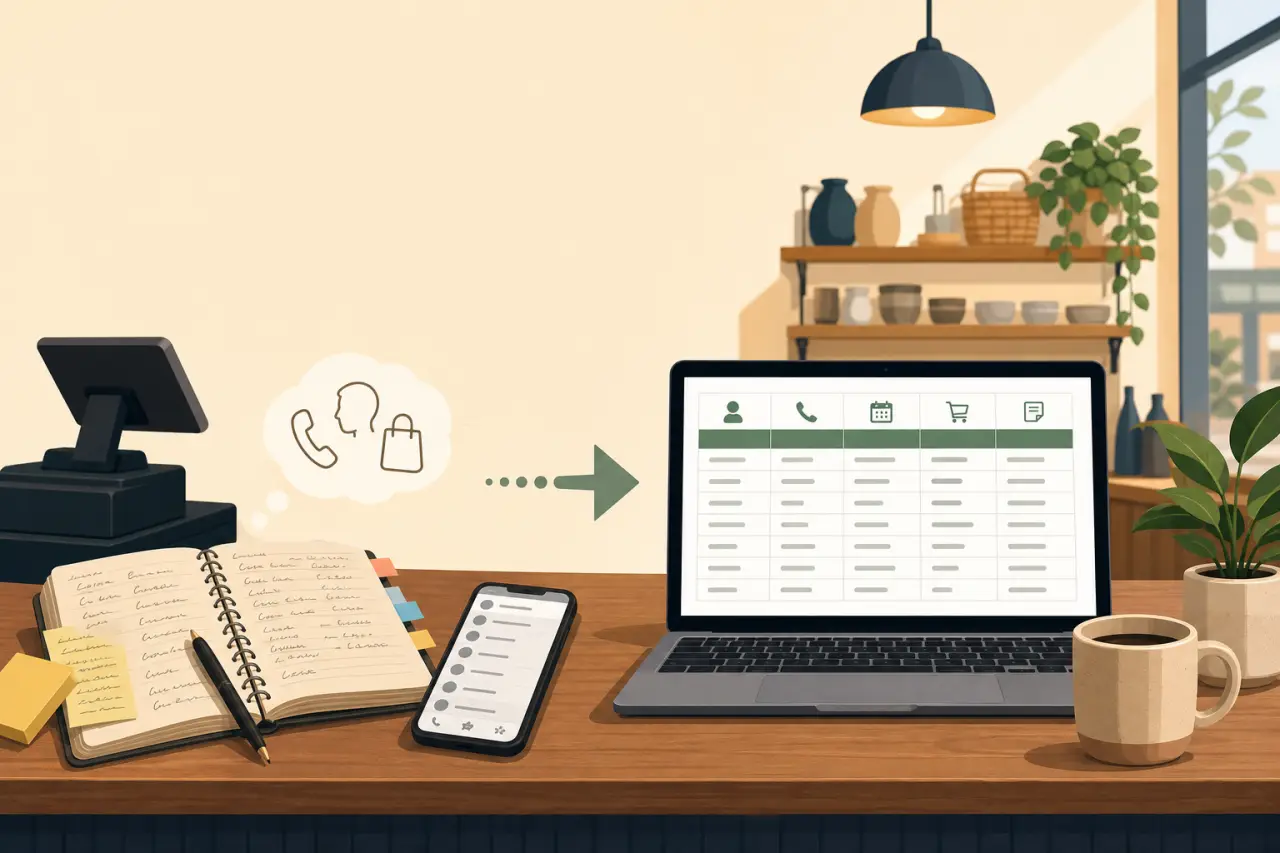
A lot of small businesses run customer information out of a notebook by the register, a phone's contacts list, and whatever the owner remembers. That works fine when business is slow. It stops working the moment you get busy, and busy is exactly when you can't afford to lose track of who's due for a follow-up, who ordered the custom piece that's ready for pickup, or who hasn't come back in three months.
You don't need a full customer relationship management system with a monthly fee to fix this. A shared spreadsheet with consistent columns does the job for most single-location businesses, as long as everyone who deals with customers actually updates it:
- Name
- Phone
- Last visit
- What they usually get
- Any notes
The bar to clear isn't sophistication, it's being able to answer who are my regulars and who's gone quiet in under a minute.
Once that list exists, it becomes useful for more than just remembering people. A restaurant can text regulars when a seasonal dish comes back. A tailor or seamstress can reach out when someone's usual order is likely due again. None of that requires new software. It requires the list existing somewhere everyone can find it, instead of living in one person's head or one person's phone.
Make Your Point-of-Sale Do Double Duty
If you're ringing up sales one way and tracking your books a completely separate way, a register that just prints receipts, and a shoebox or spreadsheet you update later, you're doing the same work twice, and the second pass is the one that gets skipped when you're tired. A point-of-sale system that connects directly to your bookkeeping software fixes that: every sale, refund, and item sold shows up in your numbers automatically, and tax season stops being a weekend spent reconstructing three months of receipts.
This also hands you real data for free. Most point-of-sale systems can tell you:
- Which items or services actually sell
- Which hours are genuinely busiest, not just which hours feel busiest
- Which days you're overstaffed or understaffed
Most owners already sense this intuitively; a point-of-sale system just puts a number next to the hunch, which makes it easier to act on and easier to explain to a business partner or family member who wants proof before agreeing to a schedule change.
If you're still cash-only, this applies to you too, just with one extra first step: even a basic card reader that logs sales digitally is worth the small transaction fee, because the record it creates is the foundation everything else in this article depends on. You can't automate what you never wrote down.
Show Up When Someone Searches for What You Sell
A Facebook page is a start, but it isn't the same as being findable. When someone searches pho near me or Hmong jewelry St. Paul on their phone, what shows up is driven by a free tool most owners haven't fully set up: a Google Business Profile. Setting it up takes under an hour, and it directly affects whether you show up on the map when someone's actually looking to buy, right now, nearby:
- Claim your Google Business Profile
- Fill in your real hours, address, and phone number
- Add a handful of real photos
A basic website matters for the same reason, even a single page with your hours, menu or services, and a phone number. Search engines, and increasingly AI tools like ChatGPT and Google's AI Overviews, pull from real websites to answer questions like what Hmong restaurants are open Sunday in Fresno. A Facebook page alone often isn't part of what those tools can see or cite. Being listed in a directory built for this, like Hmong Network, is another way to be findable through both regular search and newer AI-driven search, giving you a page with your real business information without having to build and maintain a website yourself. If you do decide to sell online eventually, the actual gear list for an online store lays out what's worth buying first and what to skip until you outgrow it.
None of this needs to be perfect. An accurate, current listing beats a beautiful one that hasn't been updated since you moved locations two years ago. Set a reminder every few months to check that your hours, phone number, and photos still match reality. A wrong address or closed hours showing when you're actually open is a lost customer you never even know you lost.
Let Text Messages Do the Work Phone Calls Can't
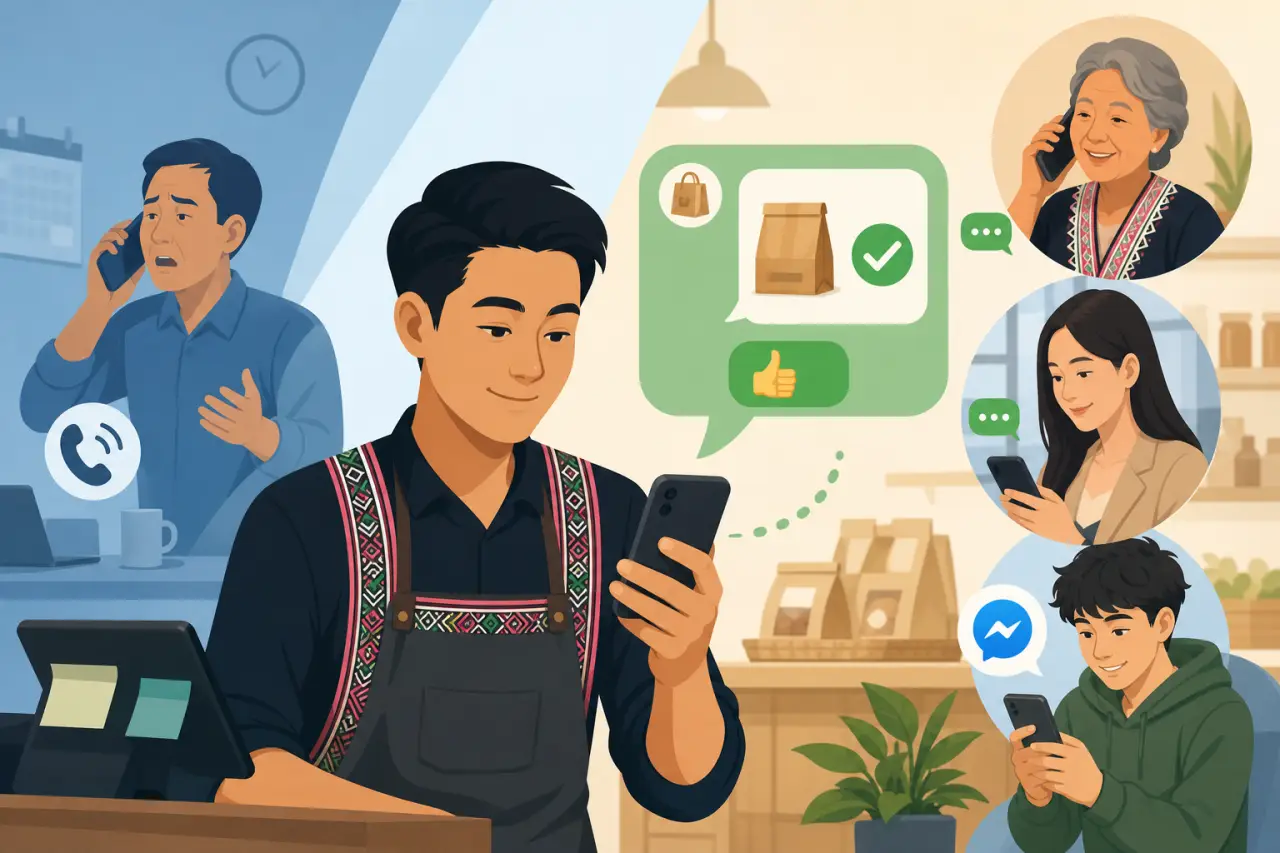
Phone calls interrupt whatever a customer is doing and require them to answer live. Text messages don't. Someone can read your order's ready for pickup between meetings and respond with a thumbs-up, no back-and-forth required. For a small business fielding the same handful of questions all day, moving that traffic from calls to text, or to a messaging app like Facebook Messenger that a lot of customers already have open, cuts down interruptions without cutting off communication.
This matters even more for businesses serving customers across generations and languages within one family. A grandmother might call, a daughter might text, and a grandson might message through Facebook. A business that only handles one of those channels well is quietly turning away the other two. You don't need three separate systems, you need to know which channel your actual customers use most and make sure someone's actually checking it during business hours, not just after closing.
Automated order-ready and appointment-reminder texts, covered above, are the highest-leverage version of this, but even a simple shared message thread that more than one staff member can access solves a real problem: the customer who texted the owner's personal phone directly at nine at night is a message that gets missed the moment that person is off for the day.
Protect the Business Before Something Goes Wrong
Most small businesses find out their point-of-sale system, their books, or their customer list only lived on one laptop the day that laptop breaks, gets stolen, or the one employee who knew the password quits without writing it down. Backups and password management aren't exciting, but they're the difference between a bad day and losing years of records permanently, and a short list of basic cybersecurity habits covers most of what a small business actually needs.
The fix is smaller than it sounds. Most cloud-based accounting and point-of-sale tools already back your data up automatically, so the actual gap is usually passwords, not backups. A simple password manager, shared carefully among the two or three people who actually need access, replaces the sticky note on the register or the one password everyone on staff has memorized, including the ex-employee who still knows it. If your business takes card payments, make sure whatever system you use is a recognized, PCI-compliant provider rather than something improvised. That protects both you and your customers if there's ever a dispute or a breach elsewhere.
It's also worth deciding, in writing, who has admin access to what, so access doesn't quietly live with whichever family member or employee happened to set each one up:
- Your Google Business Profile
- Your point-of-sale account
- Your business bank login
That list takes twenty minutes to write and saves a genuine crisis later.
Bring In the Person on Your Team Who Already Knows This Stuff
Every one of these tools is easier to adopt with the right person leading the setup, and in a lot of family-run businesses, that person already exists, often a younger family member who's comfortable with apps and doesn't need convincing that a scheduling tool is worth trying. The mistake is treating that as a side project instead of real, valuable work: setting up a Google Business Profile, building the customer list, or configuring text reminders is worth paying for or crediting the same as any other job in the business.
The reverse also matters. Whoever's been running the business longest usually knows exactly which repeated task actually costs the most time and which customer relationships actually matter. That judgment doesn't show up in a spreadsheet, and no software replaces it. The best setups pair someone who knows the tools with someone who knows the business, rather than leaving either to guess at what the other one needs.
If nobody on staff fits that role, it's still worth asking around. A nephew, a regular customer who works in tech, or a local small business support organization can often help with the initial setup for free or cheap, even if nobody's around to maintain it long-term. The setup is usually a few hours of work; after that, most of these tools run themselves.
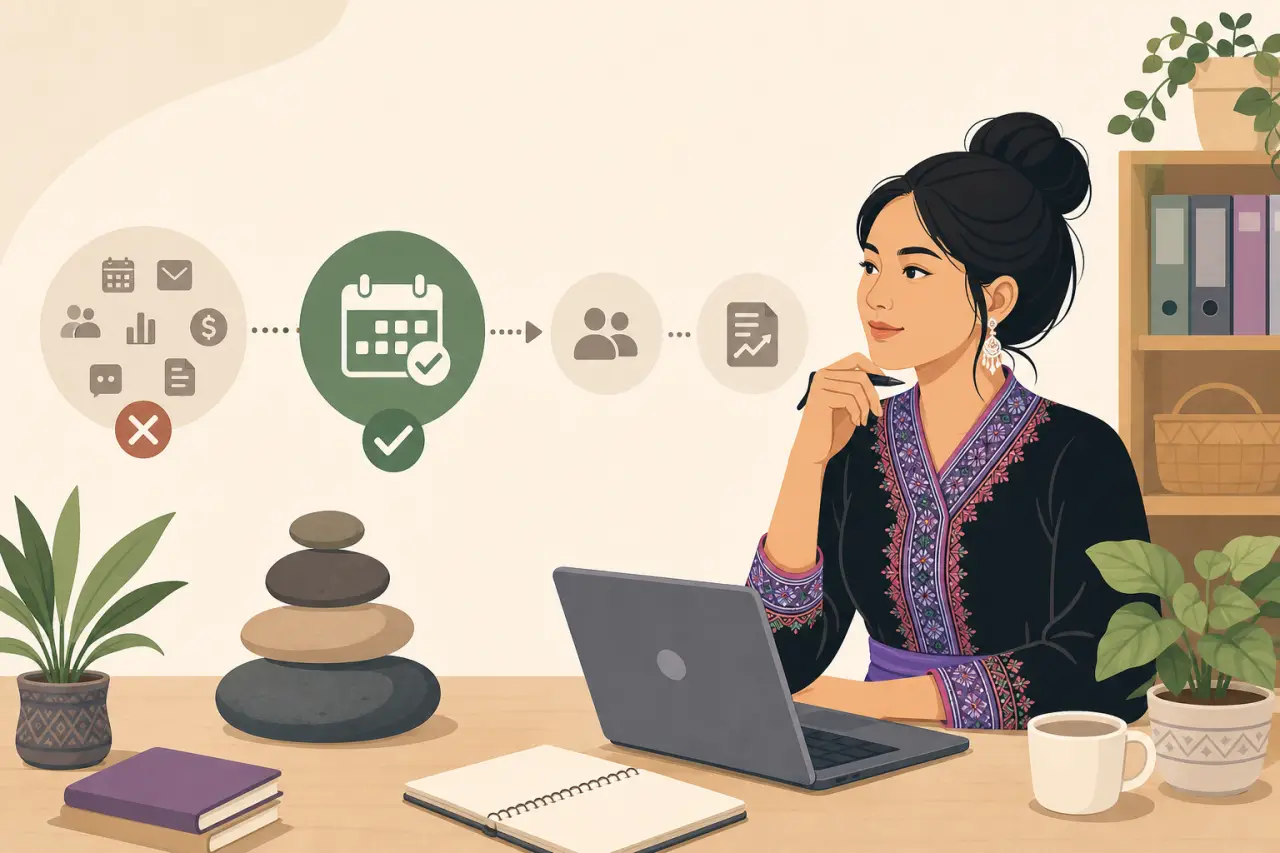
Add Tools One at a Time, Not All at Once
It's tempting, once you see the whole list, to sign up for everything this week. Don't. Every new tool is something someone on your team has to actually remember to use, and a scheduling app nobody opens or a customer list nobody updates isn't saving you anything, it's just one more login. The businesses that get real value out of technology usually add one tool, let it become a habit for a month, and only then move to the next one. If you're weighing whether a specific piece of software is actually worth it, a few rules before buying software can help you decide before you commit.
Prioritize by what's costing you the most right now, not by what's cheapest or most talked about:
- If no-shows are a real problem, start with appointment reminders.
- If tax season is what you dread every year, start with connecting your point-of-sale to your books.
- If you're invisible in local search, start with your Google Business Profile, since it's free and takes under an hour.
And don't be afraid to drop a tool that isn't working. Plenty of small businesses pay monthly for software nobody actually opens anymore, because canceling feels like admitting the initial decision was wrong. It wasn't wrong, it just didn't fit, and the fix is the same either way: check what you're actually using every few months, keep what earns its place, and free up that money and mental space for the next tool that will.
Questions people ask
What's the best first tech tool to buy for my small business?
Start by fixing the single repetitive task that eats the most of your week. If it's appointment no-shows, a scheduling tool with automatic reminders. If it's invoicing delays, software that lets customers pay with a tap. If it's restocking, a tool for that. Choose based on what actually costs you time and money right now, not the fanciest software.
Do I really need a customer relationship management system?
No. A shared spreadsheet with consistent columns—name, phone, last visit, what they usually get, notes—does the job for most single-location businesses. The goal is being able to answer who are my regulars and who's gone quiet in under a minute. Sophistication doesn't matter. Your entire team actually using it does.
How do I make sure customers can find me when they search online?
Claim your Google Business Profile and fill in your real hours, address, phone number, and a few photos. This takes under an hour and directly affects whether you show up on the map when someone searches for what you sell nearby. Add a basic website or get listed in Hmong Network so search engines and AI tools can find your information.
Should I set up all these tools at once?
No. Every new tool is something your team has to remember to use. Add one tool, let it become a habit for a month, then move to the next one. Prioritize by what's costing you the most right now. Drop any tool that isn't working—it's not admitting defeat, it's just freeing up money and space for something that will help.
Written by
Hmong Network Team
Directory & Digital Services
We run the Hmong Network directory and do the web design and SEO/AEO work behind the results in our case studies. These guides come out of that same hands-on work with Hmong-owned businesses — not secondhand research.
