

Do You Need a Thermal Label Printer for Your Business?
TL;DR
If you're still hand-cutting shipping labels on a regular printer, a thermal label printer like a Rollo usually pays for itself within a few months of steady shipping, but the printer type and true label costs matter as much as the price tag.
Why a Regular Printer Becomes a Bottleneck Once You're Shipping Every Week
If you're still printing shipping labels on the same inkjet or laser printer you use for invoices, you already know the routine:
- Load a full sheet of paper
- Print one label in the corner
- Grab scissors
- Trim it down
- Tape it onto the box so it doesn't peel off in transit
It works when you're shipping two or three orders a week. It stops working the moment your weekend farmers market booth turns into a steady stream of online orders too.
Say you're mailing out orders for a paj ntaub shop or a hot sauce brand you sell on Etsy and your own site. At ten packages a week, hand-cutting and taping labels might cost you fifteen or twenty minutes total — annoying, but survivable. At forty or fifty packages, that same process eats a real chunk of an evening, and it's the kind of task that's easy to put off, which means orders sit un-shipped longer than they should. Ink-printed labels also aren't built for the trip: a package left on a porch in the rain, or riding in the back of a mail truck on a wet day, can end up with a smeared barcode that a scanner can't read, which turns into a delay or a lost package that's now your problem to fix.
Direct Thermal vs. Thermal Transfer: Which One Actually Fits a Small Shipping Operation
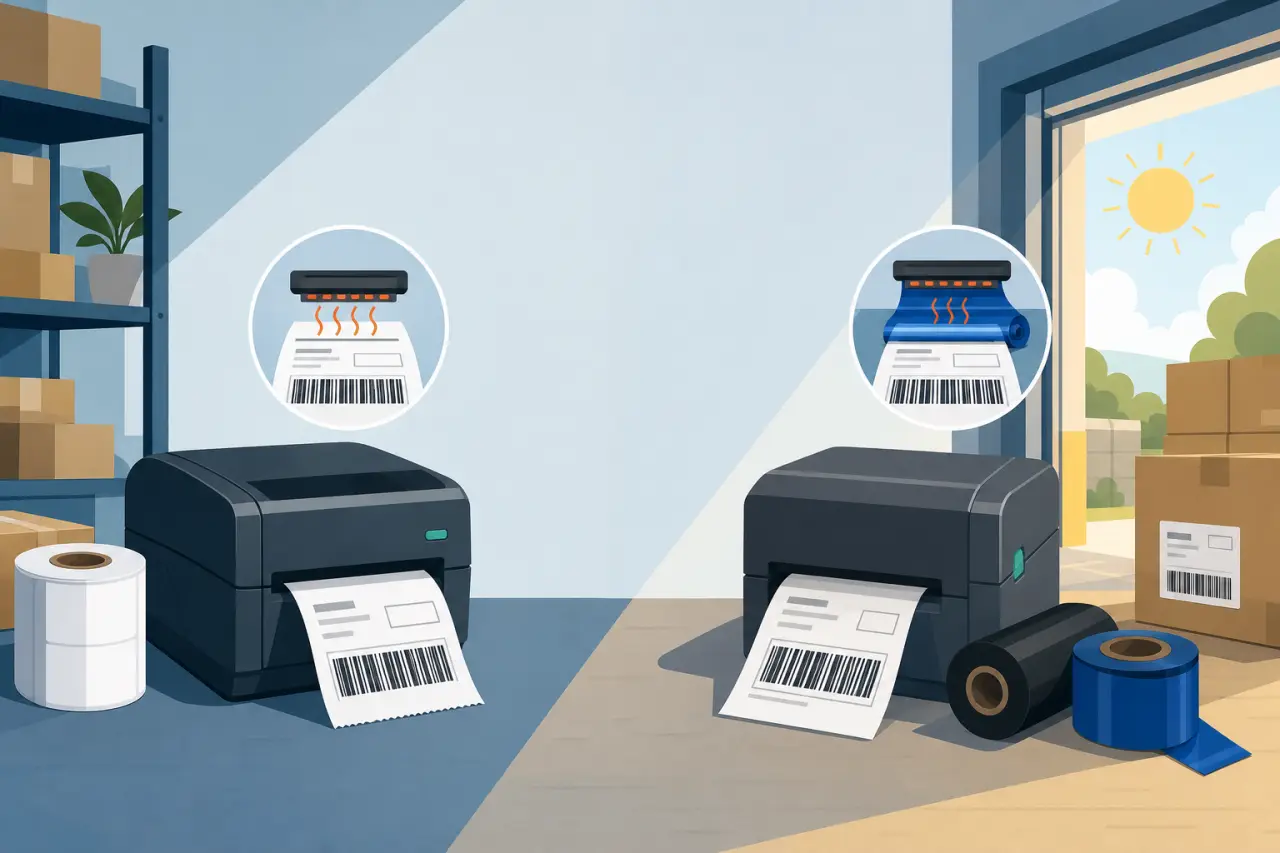
Thermal printers come in two types, and mixing them up is the most common expensive mistake people make. Direct thermal printers use heat-sensitive paper — the printhead heats up in the shape of the text and barcode, and the paper itself darkens, no ink or ribbon involved. Thermal transfer printers also use heat, but they melt a wax or resin ribbon onto the label to create the image, which adds a consumable you have to keep buying and replacing.
For shipping labels, direct thermal is almost always the right call. A label only needs to stay legible for the one to two weeks it's in transit, and direct thermal handles that fine. The tradeoff is that direct thermal labels fade with heat and direct sunlight over time — leave one on a box in a hot garage for a few months and the print can go faint. That's a real problem if you're printing barcodes or asset tags meant to last a year on a shelf, which is where thermal transfer earns its higher price and its ribbon costs. But for shipping labels that get scanned and thrown away within days, paying for thermal transfer capability is money spent solving a problem you don't have.
The Rollo Printer, and Why It Keeps Coming Up in This Conversation
When people research thermal label printers for a small business, Rollo comes up constantly, alongside names like Zebra, Munbyn, and Dymo. Part of that is genuine word of mouth: Rollo built its product specifically around direct-to-consumer sellers rather than warehouse operations, which shows in small details — it's compact enough for a desk or a kitchen counter, it connects over USB or Wi-Fi, and it doesn't lock you into buying labels only from Rollo the way some printers try to.
- Zebra printers have a longer track record in commercial shipping and warehousing and tend to be the choice once you're running a real fulfillment operation with multiple people printing labels at once.
- Munbyn and similar budget brands undercut Rollo on price and can be a reasonable starting point if you're not sure shipping volume will stick, though build quality and driver support are usually where the savings show up.
- Dymo's label printers are common in offices already but are generally built for smaller labels — envelopes, name badges — rather than the standard 4-by-6 shipping label most carriers expect, so check that before assuming one you already own will do the job.
None of these is the objectively correct choice for every business. The right one depends on how many labels you're printing a week, whether you're printing from a laptop or a phone, and whether one printer needs to serve one person or several.
What to Actually Compare Before You Buy One
Once you've settled on direct thermal, the printer-to-printer differences come down to a handful of things worth checking before you order.
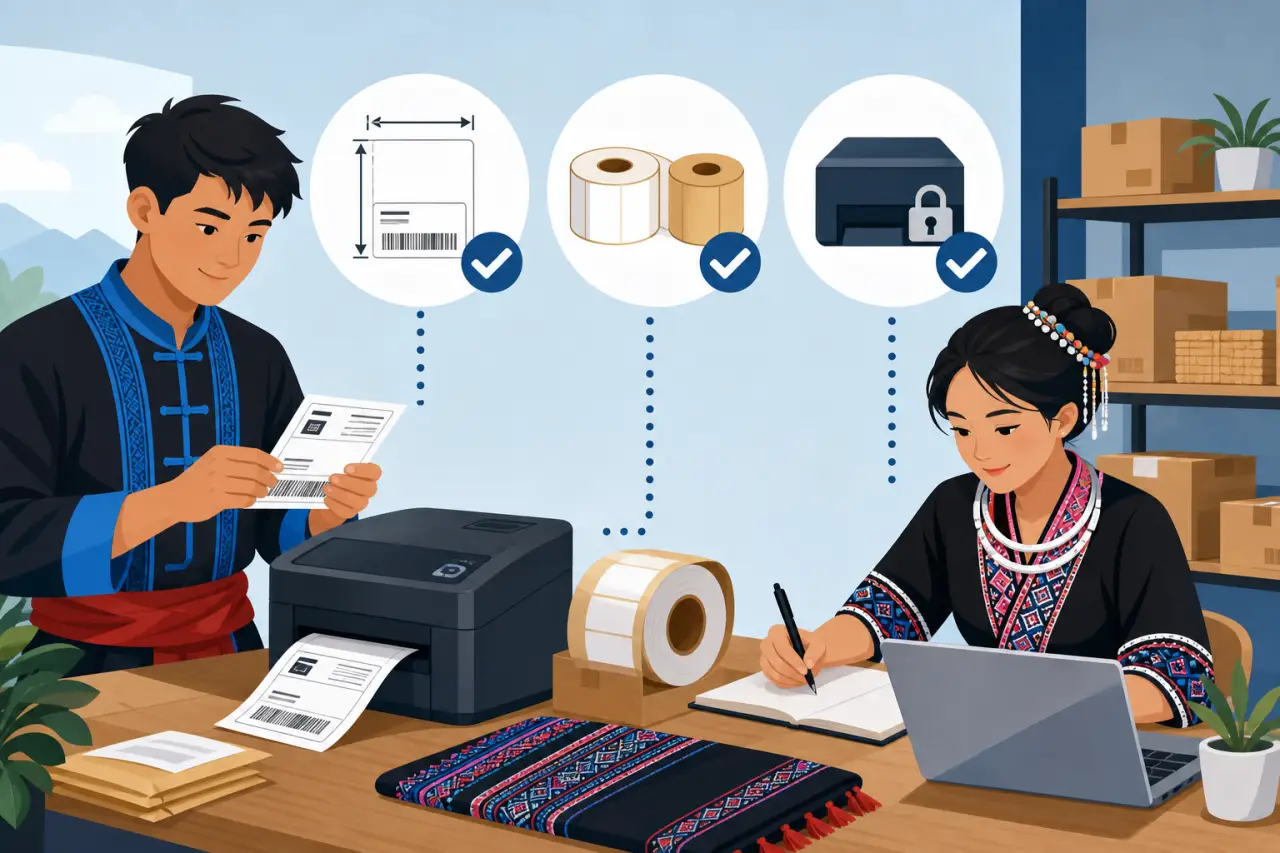
- Label size and format matter first. Most shipping labels are 4 by 6 inches, and that's the size Shopify, Etsy, eBay, and USPS, UPS, and FedEx label generators default to. Make sure whatever printer you buy handles that size natively rather than needing you to resize a label to fit smaller stock.
- Whether the printer takes generic labels or locks you into a proprietary roll matters more over a year than the sticker price does. A printer that's cheaper upfront but only works with the manufacturer's own rolls, priced well above generic label rolls, will end up costing more within a year of steady shipping. Look this up specifically before buying — it's usually mentioned in the printer's own product description or FAQ, and it's the detail people skip because they're focused on the price on the box.
- Connectivity is next: USB-only printers are reliable but tie you to one computer, while Wi-Fi or Bluetooth models let you print from a laptop, a tablet at a market booth, or a phone in the back of a food truck. If more than one person in your business needs to print labels — you and a spouse running the same shop, for instance — a networked printer saves a lot of walking back and forth.
- Finally, check real reviews for how well the printer plays with the specific platforms you use. A printer that connects flawlessly to Shopify but fights with eBay's label format, or the reverse, is a common enough complaint that it's worth searching for by name before you commit — the same rules before buying more software are worth applying here even though a printer is hardware, not a subscription.
Getting It Talking to Your Shipping and Sales Tools
A thermal printer is only useful if it fits into how you already sell. If you're shipping through Shopify, Etsy, or a marketplace platform, check whether the platform has native thermal-printer support or works through a browser print dialog — most modern platforms do, and the setup is usually installing one small piece of software once and then selecting the printer like you would any other. Shipping tools built specifically for small sellers, like Pirate Ship or ShipStation, are usually the smoothest path for simplifying shipping as orders grow, since they're designed around printing labels in bulk and batch-printing an entire day's orders at once rather than one at a time.
If you sell across more than one channel — say, your own website plus a farmers market booth plus a wholesale account — the printer doesn't care where the label data comes from, but your workflow does. It's worth spending twenty minutes up front figuring out where every order lands and testing that your printer can print cleanly from each source, rather than discovering mid-holiday-rush that labels from one channel won't print right. If you're selling through a Hmong Network storefront specifically, it's worth pairing this with choosing the right shipping setup for your listings, since that decision shapes what label format and volume you're actually printing for.
The Real Costs Nobody Mentions in the Unboxing Video
The printer itself is the smallest number in this decision, and it's just one line on the rest of your online store gear list. What actually determines whether a thermal printer saves you money is the ongoing cost of labels, and that's worth working out with real numbers before you buy, not after.
A roll of generic 4-by-6 direct thermal labels typically holds a few hundred labels for a modest cost — work out the per-label cost for whatever roll you're considering and multiply it by how many packages you actually ship in a month. Compare that to what you're currently spending on printer paper cut into labels, the tape holding them on, and the ink or toner your current printer burns through on labels alone, since ink cartridges are one of the most expensive things you buy per ounce and shipping labels use them just as fast as anything else. For most sellers shipping more than a handful of packages a week, the label roll ends up cheaper than the ink-and-paper-and-tape combination it replaces, on top of the time saved.
The other cost to plan for is keeping a backup roll of labels on hand at all times. Running out mid-batch on a Friday afternoon, with no local store carrying the right size, is a genuinely common way people lose a weekend's shipping window.
Common Mistakes That Waste Labels, Time, or Both
A few mistakes come up often enough with first-time thermal printer buyers that they're worth flagging directly.
- Ordering the wrong label width is the most common one — most printers default to 4x6, but sellers sometimes accidentally order 2x1 or 3x2 rolls meant for retail price tags, which don't fit a shipping label template at all. Always check the label dimensions against what your shipping platform generates before ordering in bulk.
- Buying a large case of labels before testing a single roll is the second. Print a handful of real labels first, check that the barcode scans cleanly and the text isn't cut off at the edges, and only then order the case that gets you a better per-label price.
- Forgetting that direct thermal labels fade in heat causes real problems for people who print labels a day or two ahead and leave packages in a hot car, garage, or storage unit before the carrier picks them up. If that's a regular part of your workflow, print labels closer to pickup time rather than the night before.
- Finally, skipping the driver and setup steps and printing straight from a phone's default print screen is a common source of labels that come out the wrong size or cut off mid-barcode. The extra ten minutes installing the printer's actual software up front saves a lot of wasted labels later.
When You're Not Ready for One Yet
A thermal printer isn't automatically the right move just because you sell online. If you're shipping a handful of packages a month, the math usually doesn't favor buying dedicated equipment yet — the post office or a shipping store can print and apply a label for you at the counter for a small fee, and that's cheaper than a printer sitting mostly idle.
The clearer signal to buy is a pattern, not a single busy week: several weeks in a row where cutting and taping labels by hand has become the part of the job you dread, or where a smeared, unscannable label has actually caused a delay or a customer complaint. At that point the printer pays for itself quickly. Before then, it's one more piece of equipment to store, maintain, and eventually replace, and it's fine to wait until the volume is real.
Questions people ask
What's the difference between direct thermal and thermal transfer printers?
Direct thermal uses heat-sensitive paper that darkens when the printhead heats up — no ink or ribbon needed. Thermal transfer melts a wax or resin ribbon onto the label to create the image. For shipping labels that last one to two weeks in transit, direct thermal is almost always the right choice and costs less to operate.
Should I buy a thermal printer if I'm only shipping a few packages a month?
Not yet. If you're shipping a handful of packages monthly, the post office or a shipping store can print labels for a small fee, which is cheaper than a printer sitting idle. Buy when you see a real pattern — several weeks where hand-cutting labels becomes tedious or smeared labels cause actual problems.
Can I use any thermal label printer with my online store?
Check your specific platform first. Shopify, Etsy, and eBay usually have native thermal printer support or work through a browser print dialog. If you sell across multiple channels, test that your printer works cleanly from each source before committing. Shipping tools like Pirate Ship or ShipStation typically offer the smoothest integration.
What should I look for when comparing thermal printers?
Check that it handles 4-by-6 labels natively. Verify whether it uses generic labels or proprietary ones — proprietary rolls get expensive fast. Confirm Wi-Fi or USB connectivity fits your setup. Finally, search for real reviews testing that specific printer with the platforms you actually use.
Written by
Hmong Network Team
Directory & Digital Services
We run the Hmong Network directory and do the web design and SEO/AEO work behind the results in our case studies. These guides come out of that same hands-on work with Hmong-owned businesses — not secondhand research.
