
Simplifying Shipping as Your Online Orders Grow
TL;DR
Once you're shipping more than a handful of orders a day, manual labels and rate-checking eat hours you don't have. Shipping software combines every sales channel into one queue and prints labels in seconds, not minutes.
The Point Where Manual Shipping Breaks Down
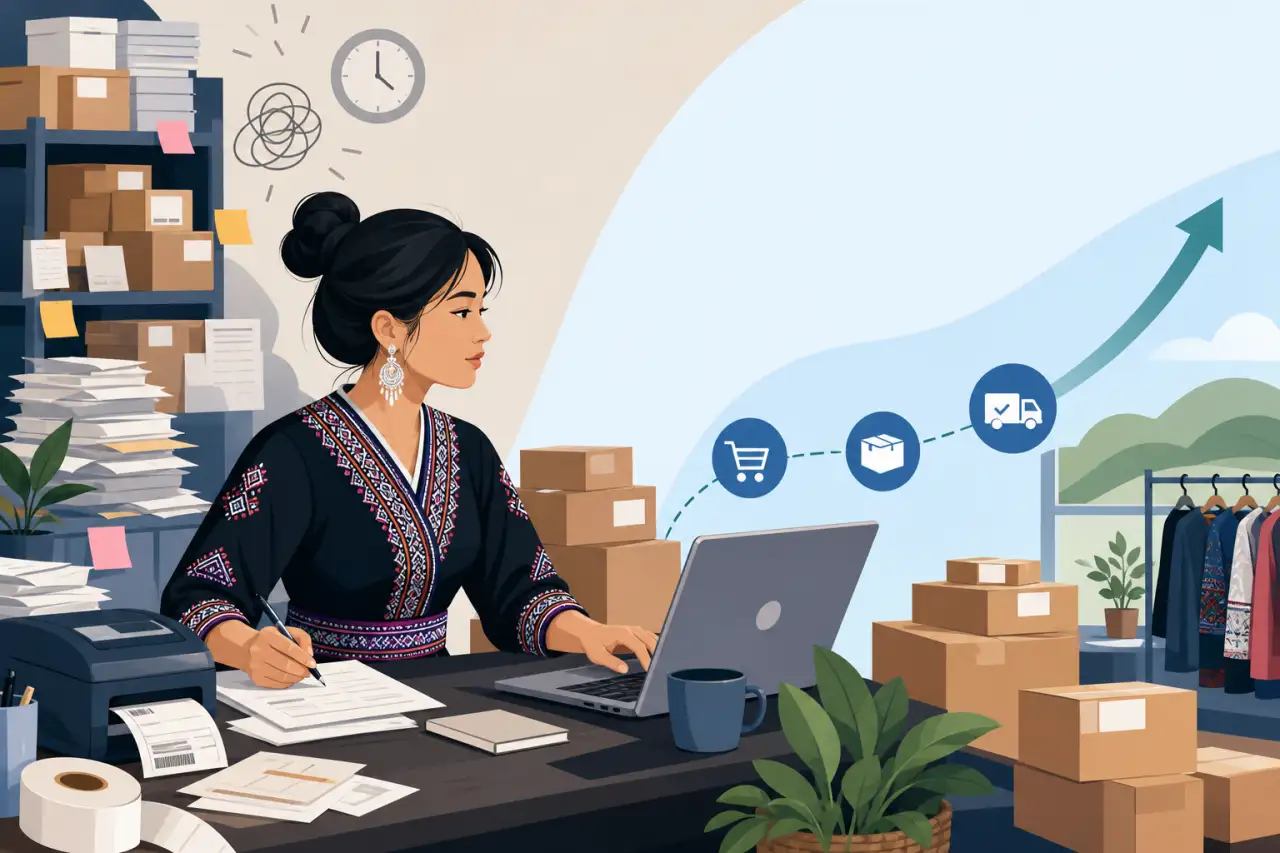
Printing labels one at a time, copying addresses by hand, and checking each carrier's website for rates works fine when you're shipping a handful of packages a week. It stops working the moment volume grows — the same process that used to take twenty minutes a day starts eating two or three hours, and the more manual steps involved, the more likely a wrong address, a mismatched weight, or a mislabeled box slips through.
That breaking point rarely announces itself. It shows up as a stack of orders you didn't get to today, a customer asking where their package is because you forgot to email a tracking number, or a Saturday spent at the post office instead of at the market table where you actually make money. If any of that sounds familiar, the real signal it's time for shipping software isn't a specific order count — it's noticing that the time spent on shipping is starting to compete with the time spent on the parts of the business that actually grow it.
For businesses selling food products, textiles, or handmade goods across multiple states, there's a second cost that's easy to miss: inconsistency. When every label is typed by hand, small mistakes creep in — a suite number left off, a rate paid for the wrong package size — and each one turns into a delay, a refund, or a reprinted label. Software doesn't just save time; it removes the repetitive typing where those mistakes happen in the first place — and reliable shipping is part of what actually drives online sales, even though it rarely gets the same attention as marketing or product photos.
What Shipping Software Actually Does for a Small Operation
At its core, shipping software does three things:
- It pulls every order into one place
- It compares carrier rates automatically
- It prints labels in batches instead of one at a time
That sounds simple, but each piece removes a specific manual step that adds up fast once you're shipping regularly — and it's just one line item on the rest of your online store gear list.
Pulling every order into one place matters because most small businesses aren't selling through just one channel. An order might come from:
- Your own website
- A marketplace listing
- A direct message on Instagram
- A phone order from someone who found you at a community event
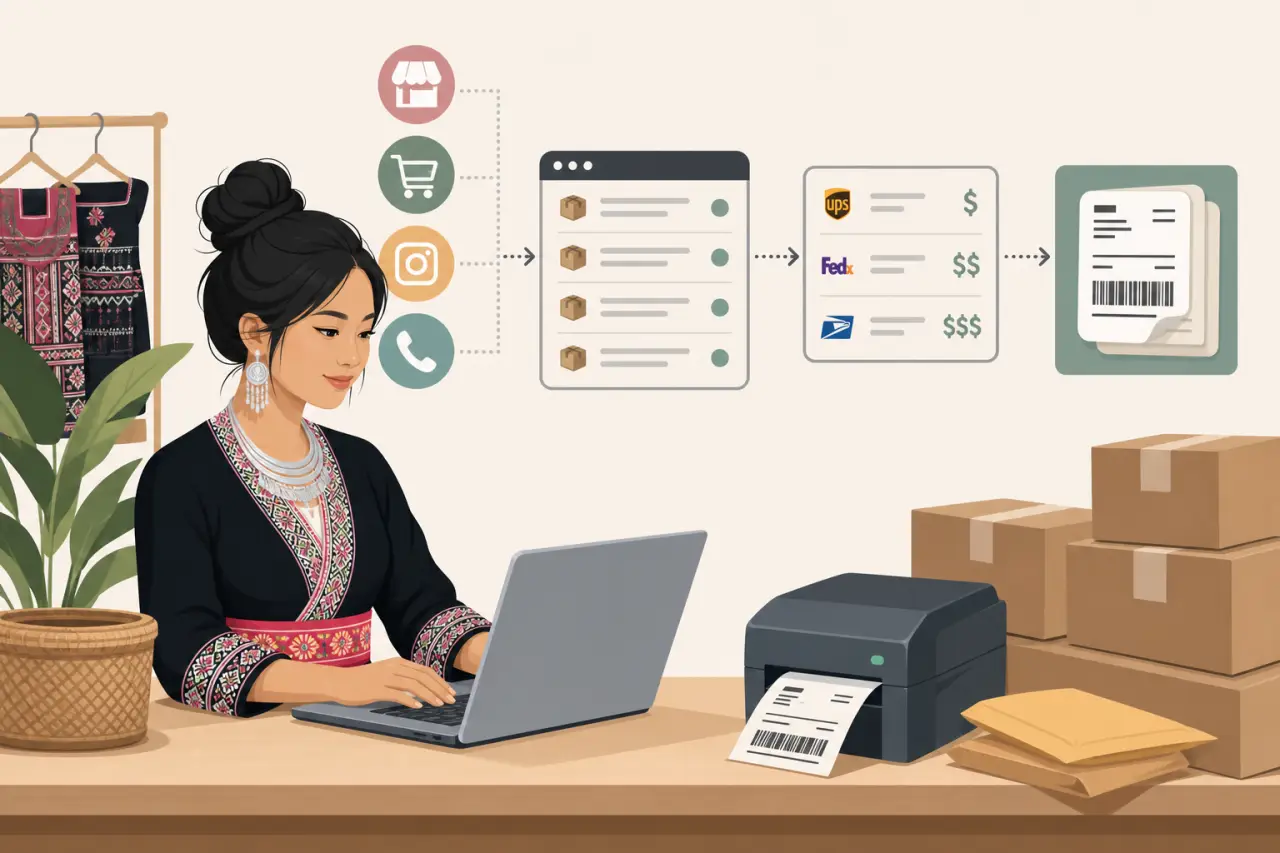
Without software connecting those channels, you're checking three or four places every morning and manually re-entering the same address information into a label each time. With it, every order — regardless of where it came from — lands in one shipping queue.
Rate comparison and batch printing are where the daily time savings actually show up. Instead of opening a carrier's website, entering a package's weight and dimensions, and writing down the price before doing it again for a different carrier, the software does that comparison instantly and lets you print however many labels you need in one pass. What used to be a label-by-label process becomes a queue you clear in minutes. If you're printing enough labels a day that even that feels slow, it's worth checking whether you need a thermal label printer to speed the actual printing up further.
Getting Every Sales Channel Into One Queue
If you sell in more than one place — which most growing small businesses eventually do — this is the single feature worth prioritizing over everything else. A Hmong-owned business selling paj ntaub textiles, for example, might have orders coming from a Shopify store, a Facebook Marketplace listing, and direct messages after a vendor booth at a cultural festival. Each of those is a separate inbox, a separate order format, and a separate place a mistake can happen.
Shipping software connects to these channels directly, so an order placed through any of them shows up automatically in one shipping queue with the address and item details already filled in. You're not retyping anything, and you're not relying on memory to remember which message turned into a paid order and which didn't.
This also solves a problem that's easy to underestimate: order visibility. When sales come in from four different places, it's genuinely hard to know at a glance what still needs to ship today versus what already went out. One consolidated queue answers that question the moment you open it, which matters most on your busiest days — during Hmong New Year season, for instance, when orders can spike well above a normal week's volume all at once.
Comparing Carrier Rates Without Guessing at Each One
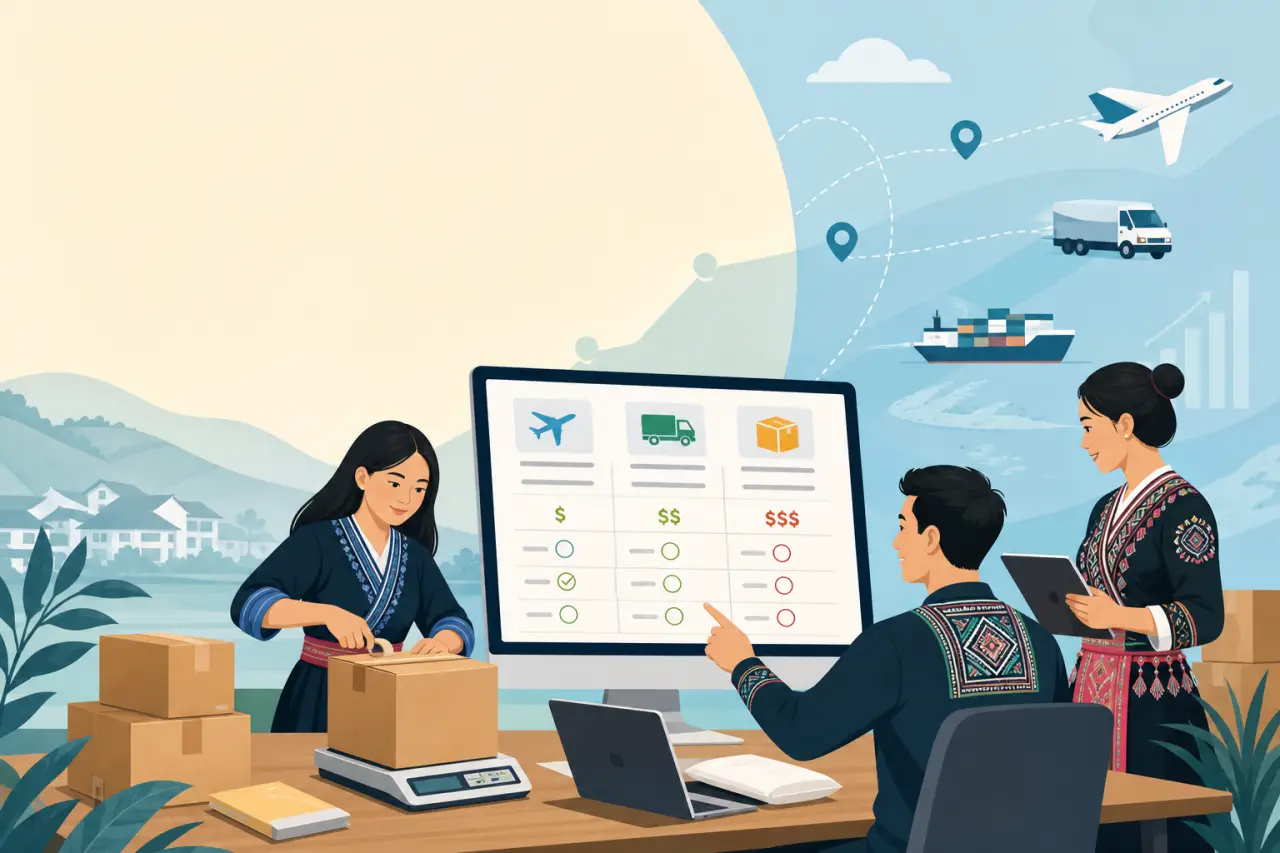
Rate shopping sounds like a minor feature until you actually watch the numbers move. The cheapest carrier for a small, light envelope is often not the cheapest carrier for a heavier box, and that difference can flip again depending on how far the package is traveling. Checking this by hand for every order isn't realistic once you're shipping more than a few packages a day — it's realistic exactly once, for one order, and then it gets skipped for the sake of time.
This matters more than it might seem for anyone shipping physical products with real weight to them — jars of sauce, bags of rice, boxes of snacks. Carriers price by dimensional weight as well as actual weight, meaning a box that's mostly empty space can cost more to ship than its contents would suggest. Software that shows you the rate across carriers side by side, for the exact box and weight you're using, catches this before you pay for it rather than after.
The habit worth building here isn't picking one carrier and sticking with it forever — it's letting the software re-check the comparison on every order, since the cheapest option for a five-pound box to a nearby state is rarely the cheapest option for the same box crossing the country. Getting this right is really about choosing the right shipping setup for your specific mix of products, weights, and destinations, not settling on one carrier out of habit.
Making Every Package Look Like It Came From Your Business, Not a Warehouse
A plain label with no branding and a generic packing slip is fine functionally, but it's a missed chance. Most shipping software lets you customize the packing slip with your logo, and some let you add a short note or a discount code for the next order. For a small business built on relationships — the kind where a customer buys because they know your family, or because someone recommended you at a community gathering — that detail matters more than it does for a big-box retailer.
This is also where a personal touch costs almost nothing to add but tends to be remembered — options like:
- A short handwritten thank-you
- A card with a phrase in Hmong alongside English
- A small note explaining what's inside a package of food products
Each one turns a transaction into something a customer talks about. None of that requires expensive packaging — it requires the packing slip and label process being simple enough that you have time left over to add it.
The practical upside is repeat business. A customer who receives a package that clearly came from a real person, not an anonymous warehouse, is more likely to order again and more likely to recommend you to someone else — which, for most Hmong-owned businesses building a customer base largely through word of mouth, is worth more than the few extra seconds it takes to set up.
What Automatic Tracking Updates Actually Save You
Every order that ships without a tracking number sent to the customer becomes a potential message later asking where it is. That message takes time to answer, and answering it usually means stopping whatever else you're doing to look up the order, find the tracking number, and reply — a small interruption that adds up across dozens of orders a week.
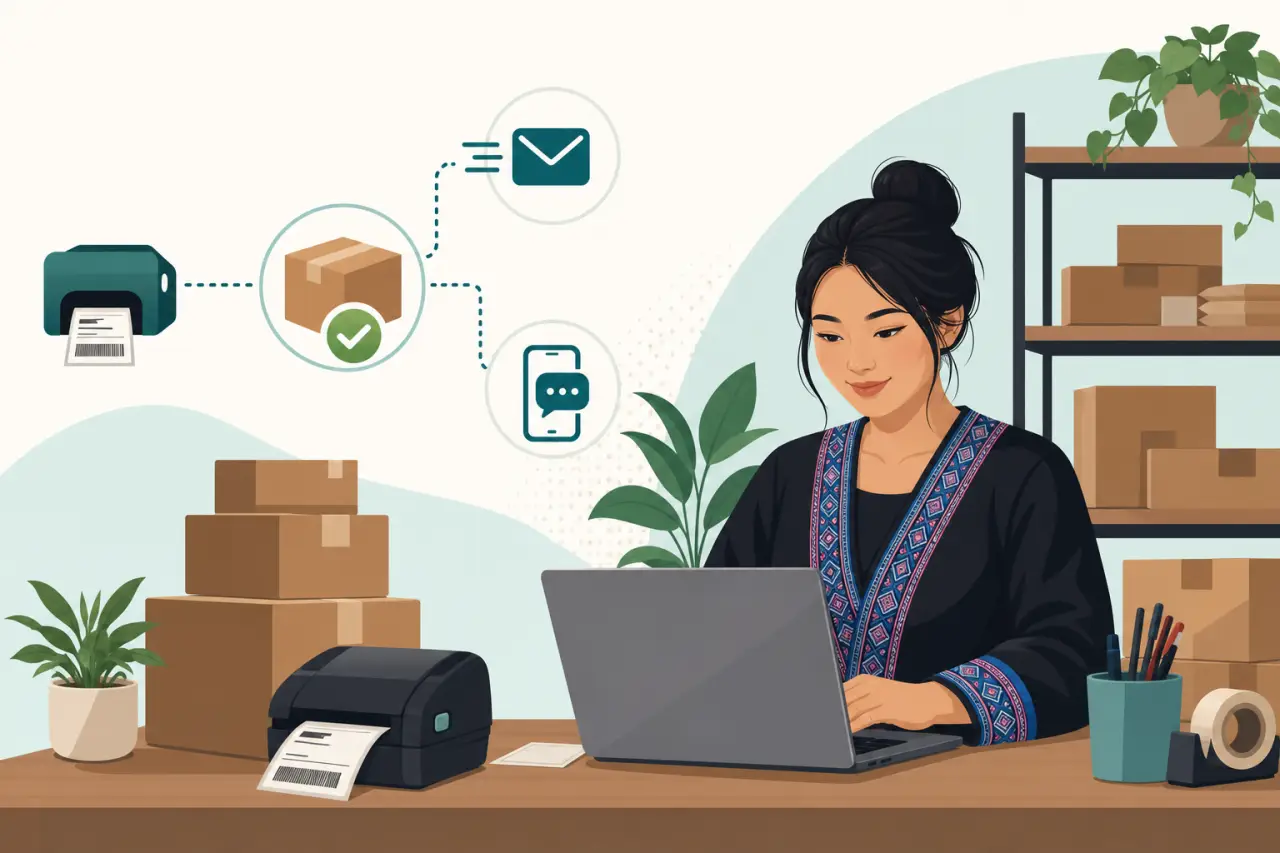
Shipping software sends tracking information automatically the moment a label prints, usually by email or text, without you doing anything extra. That single automation quietly removes a meaningful share of the customer service messages a growing shipping volume otherwise creates, and it does it without making the experience feel less personal — most customers don't expect a tracking email to come from you personally, they just want to know it's coming.
The other benefit is fewer disputes. A customer who has a tracking number and sees the package moving is far less likely to ask for a refund out of uncertainty than one who ordered a week ago and has heard nothing. For a business without a dedicated customer service person, that's not a small thing — it's the difference between shipping being a task you finish and forget about, and shipping being a task that keeps generating messages for days afterward.
Reporting That Tells You Where Your Shipping Costs Are Going
Once you're shipping regularly, shipping becomes a real cost of doing business, not an afterthought — and most owners don't actually know which products or which regions are eating the most into their margin until they see it laid out. Shipping software's reporting features exist for exactly this: they show shipping cost by product, by region, and over time, instead of leaving that information scattered across receipts and carrier invoices.
This is where the decision to ship nationally versus regionally, or to offer local pickup for certain items, actually gets made with real numbers instead of a guess. A heavy, low-margin item that's cheap to make but expensive to ship across the country might make more sense sold only within driving distance, with shipping reserved for lighter, higher-margin products. Without a report showing the actual cost breakdown, that's a hard call to make with any confidence.
It's worth checking this report on a regular schedule — monthly is reasonable for most small operations — rather than only when a shipping bill feels unexpectedly high. Costs creep gradually as carriers adjust rates, and catching that early, in a report you're already looking at, is easier than discovering it all at once in a bill that doesn't match what you budgeted for.
Rolling Out New Shipping Software Without Disrupting Orders Already In Flight
Switching shipping processes in the middle of a busy season is the fastest way to make the transition harder than it needs to be. A few steps make it easier:
- If you can, start the switch during a slower stretch — right after a seasonal rush ends rather than right before one begins — so you have room to work out setup issues without a backlog of orders waiting on you.
- Bring in your sales channels one at a time rather than all at once. Connect your highest-volume channel first, get comfortable printing labels and confirming tracking updates are going out correctly, and only then add the others. This also gives you a chance to catch address or format issues on a smaller scale before every order is running through the new system.
- If anyone else in the business touches shipping — a family member helping out, a part-time employee packing orders — walk them through the new process directly rather than assuming it'll be intuitive. A five-minute walkthrough of where orders show up, how to select a rate, and how a label prints saves a lot of confused messages later.
- Keep your old process available as a backup for the first couple of weeks; if the software has an outage or a sync issue, you don't want your ability to ship orders to depend entirely on a single new system you haven't fully tested yet.

Questions people ask
When should I switch to shipping software instead of doing labels by hand?
Switch when the time spent on shipping starts competing with time spent growing your business. If you're checking multiple sales channels, printing labels one at a time takes hours, or you're forgetting tracking numbers to send customers, software will pay for itself quickly. The signal is usually noticing that shipping has become a bottleneck, not a specific order count.
How much time does shipping software actually save?
It saves the most on orders that come from multiple channels — your website, Instagram, marketplaces, phone calls. Instead of checking four places and retyping addresses, one queue shows everything automatically. Rate shopping, batch printing, and automatic tracking updates also cut routine tasks from hours to minutes per day.
Can shipping software really save money on carrier rates?
Yes, by showing rates across carriers instantly instead of checking each one by hand. The cheapest option changes depending on weight, distance, and package size. Software rechecks this for every order, catching savings you'd skip over manually. It also flags dimensional weight issues before you pay for them.
What should I do if I'm in the middle of a busy season?
Wait if you can. Switch during a slower stretch so you have time to work out setup issues without orders backing up. If you can't wait, bring in your highest-volume sales channel first, get comfortable with the process, then add others one at a time. Keep your old process as a backup for the first couple weeks.
Written by
Hmong Network Team
Directory & Digital Services
We run the Hmong Network directory and do the web design and SEO/AEO work behind the results in our case studies. These guides come out of that same hands-on work with Hmong-owned businesses — not secondhand research.
