
Photo Guidelines That Help Your Listings Sell
TL;DR
Buyers decide whether to click your listing in about two seconds, and photos are almost always what they're judging. This guide covers real lighting, angle, and setup techniques for phone cameras, plus the technical minimums every photo needs before you publish.
Why Your Photos Do the Selling
A listing photo is often the only thing standing between a shopper scrolling past and a shopper clicking in. Buyers can't hold your product, so the photo has to answer the questions they'd ask in person: what does it actually look like, what condition is it in, and can I trust this seller. Photos are one of the four essentials of a listing, alongside a clear title, accurate details, and fair pricing, but they're usually the one a shopper judges first.
Listings with multiple clear photos consistently get more views and fewer "is this still available" or "what color is it" messages, which means less time answering questions and more time fulfilling orders. That trade-off matters more for a small or home-based business than for a big retailer, because you're usually the one answering every message yourself, often after a full day of cooking, sewing, or running the counter. Good photos also feed into how photos factor into search, so the benefit isn't limited to the shoppers who already found your listing.
There's a second, quieter reason photos matter: they're the first proof a stranger has that your business is real and cared for. A blurry, dim photo doesn't just hide the product, it reads as "this seller is rushed or doesn't check their work," even if that's the last thing that's true about you.
 Claim your free business listingFree forever — no credit card required.
The Light You Already Have Is Usually Enough
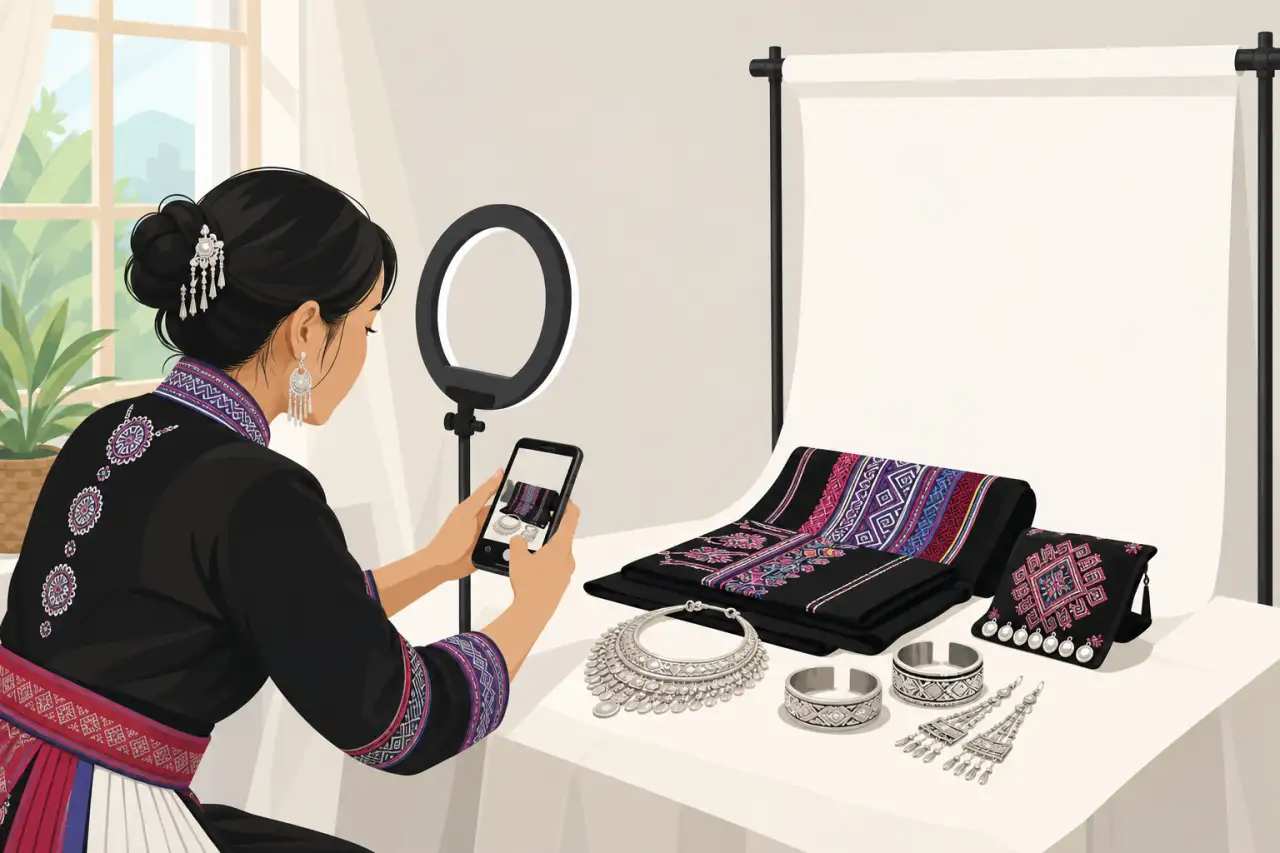
You don't need a ring light or a studio setup. The best light for most listing photos is daylight coming through a window, not pointed directly at the product but off to the side or slightly behind you. Overcast days are actually easier to shoot in than bright sunny ones, because the light is soft and even instead of throwing hard shadows across your product.
Avoid your phone's flash almost entirely. Flash flattens color, bounces off shiny packaging or plastic wrap, and makes fabric and skin tones look washed out and slightly blue. If you're shooting after dark or in a kitchen or shop with no good window, turn on every overhead light you have and, if possible, add a lamp at an angle rather than relying on one harsh overhead bulb, which tends to cast an unflattering shadow straight down.
One trick that costs nothing: shoot near a white wall, a light-colored tablecloth, or even a piece of white poster board propped up on the side opposite your light source. It bounces a little extra light back into the shadow side of the product and softens the contrast, which matters a lot for anything with texture, like embroidery, woven fabric, or food with visible grain.
Background and Setup: Keep the Product the Only Story
Shoot against a plain, uncluttered background so the product is the obvious subject. A clean kitchen counter, a solid-color blanket or backdrop, or a simple table works fine. The goal isn't a fancy backdrop, it's removing anything that competes for attention: mail piles, other inventory, patterned tablecloths, or a cluttered background can all pull a shopper's eye away from the thing you're actually trying to sell.
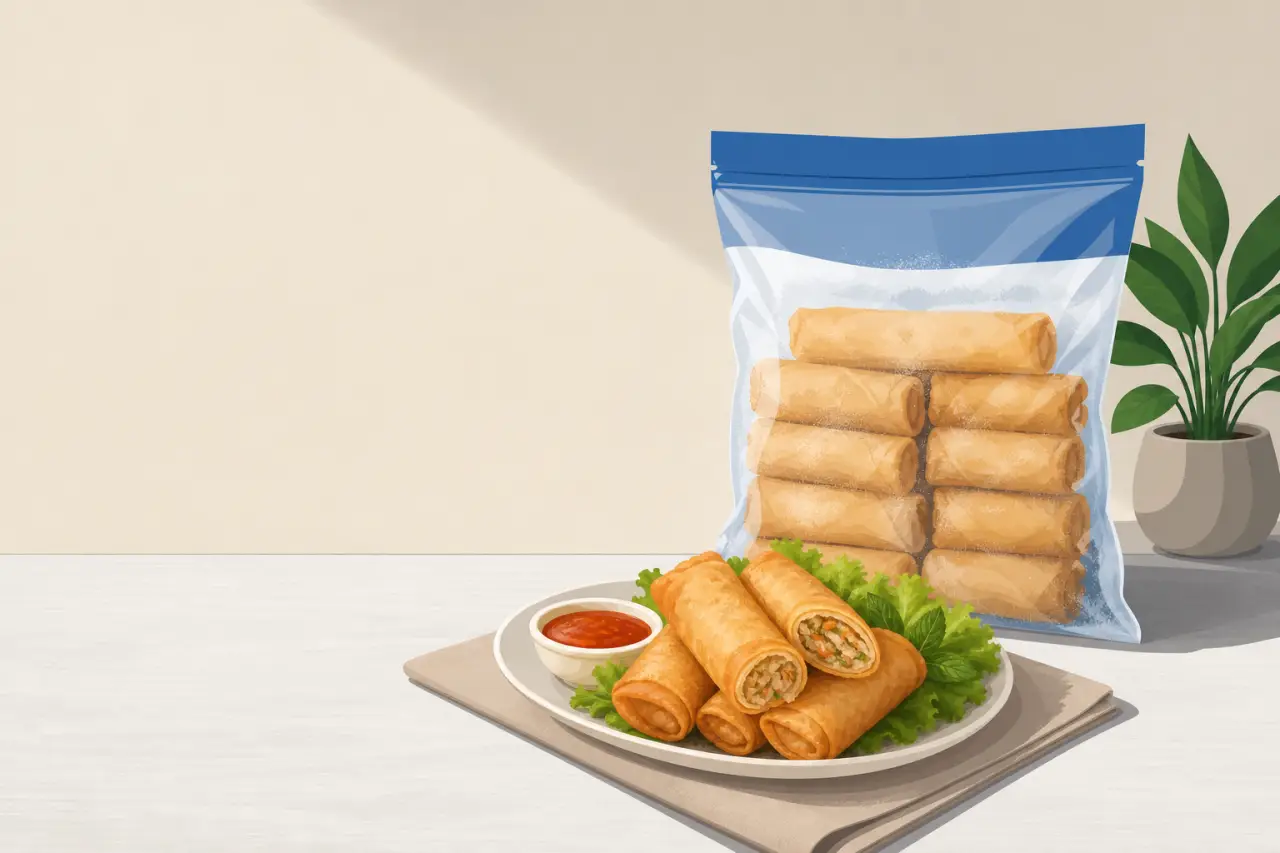
For food items specifically, resist the urge to style the shot like a restaurant menu photo unless that's genuinely what the buyer will receive. If you sell frozen egg rolls that ship in a bag, show the bag and the product as it will actually arrive, plus one appetizing plated shot labeled clearly as a serving suggestion. Buyers who order fried rolls and open a plain freezer bag when the listing only showed a garnished plate come away feeling misled, even if nothing was technically wrong.
Keep your camera steady and level. A slightly tilted or off-center shot reads as careless even when the product itself is great. If your phone has a grid overlay option in the camera settings, turn it on, it makes it much easier to keep horizontal lines straight, which matters for anything with a flat edge like a cutting board, a piece of jewelry on a stand, or a folded garment.
The Angles Every Listing Should Include
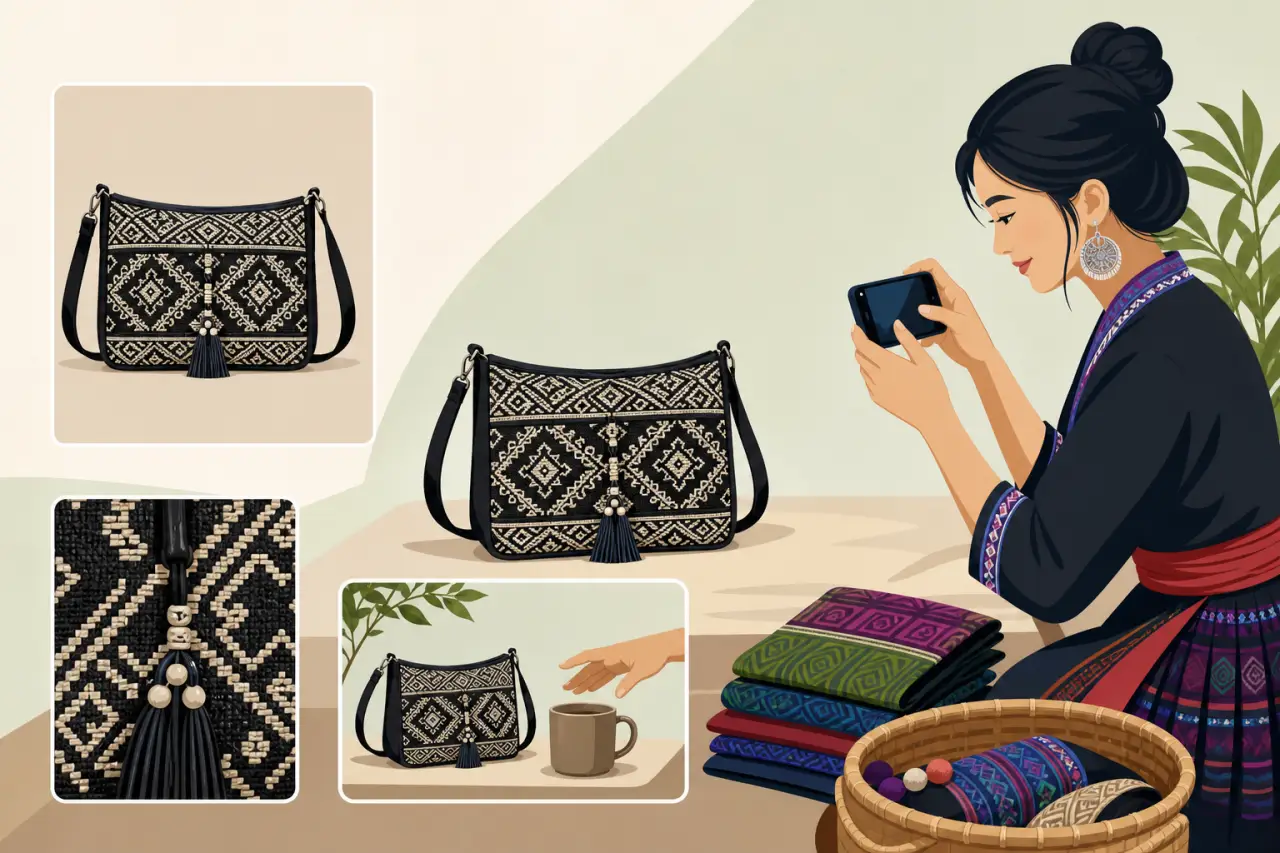
Include at least three angles:
- A straight-on shot that shows the whole product clearly
- A close-up of any detail or label a buyer would want to see
- One shot showing scale or context, like the item next to a common object or in use
Scale is easy to forget and it causes real problems. A small wooden bowl and a large serving bowl can look almost identical in a straight-on photo with nothing else in frame. Buyers guess at size based on how the photo is cropped, and when the item arrives smaller or larger than they pictured, that becomes a return or a frustrated message rather than a happy customer. Placing the item next to a hand, a coffee mug, or a ruler solves this in one extra shot.
For anything with a functional detail, a clasp, a zipper, a stitch pattern, a spice blend visible through a clear jar, get close enough that the detail fills most of the frame. This is also where you can show off the craftsmanship that a big-box alternative doesn't have. If you hand-embroider a collar or hand-stitch a hem, a tight close-up on that stitching does more to justify your price than any amount of text in the description. Pairing that close-up with filling in accurate product details — the exact material, size, or care instructions — gives buyers everything they need to trust the listing without having to ask.
Shooting for What You Actually Sell
Different product types need different treatment, and matching the shot to the category is worth the extra few minutes.
Clothing and accessories
For clothing and accessories, show the item worn or on a form in addition to a flat shot. Fit is one of the top reasons apparel gets returned, and a body shot answers that question before it's asked. If you don't have a mannequin, a willing family member or even a hanger against a plain door works better than a flat lay alone, because it shows how the fabric actually falls.
Food
For food, temperature and freshness read visually even when a photo can't convey smell or taste. Steam, condensation on a cold drink, or a fresh-cut cross-section of something like a spring roll all signal freshness in a way a flat, cold-looking photo doesn't. If you sell shelf-stable items like sauces or dried goods, a photo of the label with the ingredients or weight legible builds trust with a buyer who's never bought from you before.
Services
For services rather than physical products, like alterations, hair, or lash work, before-and-after pairs shot in the same lighting and angle are far more convincing than either photo alone. Consistency between the two shots is what makes the comparison believable; if the before photo is dim and the after is bright and filtered, buyers notice and trust the result less, not more.
Handmade goods
For handmade goods like paj ntaub textiles, woodwork, or pottery, include one photo that shows the piece in a real, lived-in setting, on a shelf, draped on a chair, holding flowers, in addition to the clean product shot. It helps a buyer picture the item in their own home, which is often the deciding factor between a browse and a purchase.
The Technical Minimums Before You Publish
Every listing needs at least one photo before it can go live, and the platform strips out any text, borders, or watermarks added on top of the image, so put that information in your listing description instead — see writing a compliant item description for what belongs there — rather than stamping it on the photo itself.
Photos should be your own, current pictures of the actual item. Stock or manufacturer photos are only appropriate for unopened, brand-new products, and even then a photo of your own inventory builds more trust than a generic catalog image, because it proves you actually have the item in hand and it looks the way you say it does.
If you're not sure a photo is sharp enough, view it at full size on a phone screen. If details look blurry or pixelated there, they'll look worse to a buyer scrolling quickly through search results, where a soft or low-resolution photo gets skipped in under a second. A quick way to check focus before you move on: pinch to zoom into the photo right after you take it and look specifically at the part a buyer would care about most, a seam, a label, a surface texture, rather than just glancing at the whole frame.

Mistakes That Quietly Cost You Sales
A few habits show up again and again in listings that underperform, and none of them require new equipment to fix.
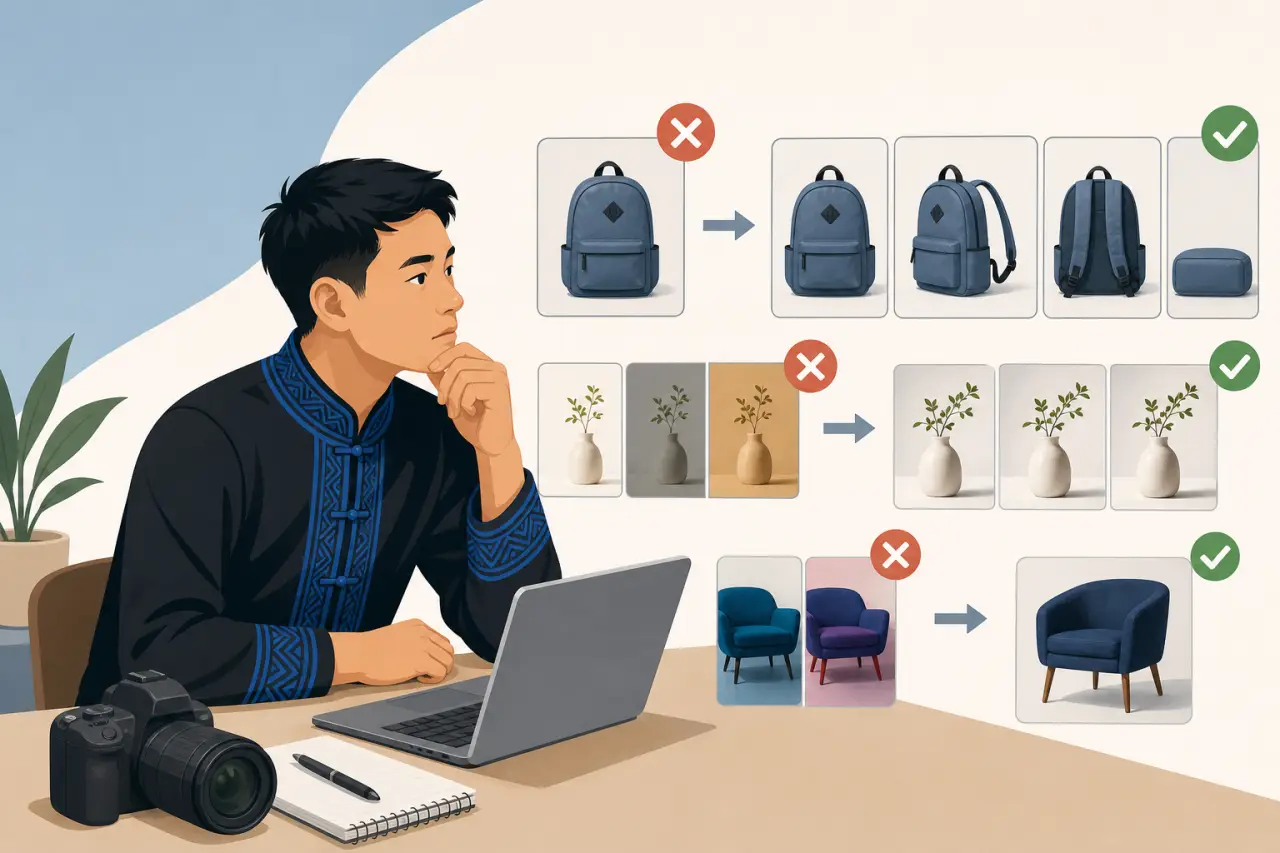
- Shooting only one angle is the most common one. A single photo, even a great one, leaves too many questions unanswered, and buyers who have to message you to ask "what does the back look like" often just move on to a listing that already showed them.
- Inconsistent lighting across your photo set is another. If your first photo is bright and your third is dim and yellow-toned, it reads as thrown together, even if each individual photo is fine on its own. Try to shoot an entire product's photo set in one sitting, in the same spot, so the whole listing feels like it belongs together.
- Over-editing is a subtler trap. A filter or heavy color adjustment that makes a product look noticeably different in person than it did online is one of the fastest ways to generate a complaint or a return, especially for anything where color matters, fabric, paint, food. A light brightness or contrast adjustment is fine; changing the actual color of the product is not.
- Letting photos go stale is easy to miss. If a product's packaging, recipe, or design changes, but the listing photo doesn't, you're setting up a mismatch the moment a repeat customer notices. Treat your photos as something to revisit whenever the product itself changes, not something you set once and forget.
A Repeatable Routine So This Never Feels Like a Chore
The sellers who keep their photos consistent usually aren't spending more time on it, they've just built a small routine. Pick one spot in your kitchen, shop, or home with reliable daylight and keep a plain backdrop, whether that's a poster board, a folded blanket, or a bare section of counter, set up or easy to grab. Shoot new products in that same spot every time, so you're not starting from scratch or hunting for good light each time you add something new.
Batch your shots. If you're photographing five new items, shoot them in this order, rather than fully finishing one product before moving to the next:
- All five straight-on shots first
- Then all five detail shots
- Then all five scale or context shots
It's faster, and it naturally keeps your lighting and setup consistent across the whole batch.
Last, build a habit of a quick before-you-publish check:
- Does this listing have at least three photos?
- Is the product the clear subject of every shot?
- Does anything here look different from what the buyer will actually receive?
That thirty-second check catches most of the problems covered in this guide before they ever reach a customer.
Questions people ask
Do I need fancy equipment to take good product photos?
No. Daylight through a window works better than a ring light for most products. Overcast days are ideal because the light is soft and even. Avoid your phone's flash, which flattens color and washes out fabric and skin tones. A white wall or poster board on the shadow side bounces extra light back into your product.
What's the minimum number of photos I need for a listing?
At least three angles: a straight-on shot showing the whole product, a close-up of any detail or label a buyer would want to see, and one shot showing scale or context, like the item next to your hand or a common object. This prevents buyers from guessing at size and asking questions you'd have to answer.
Why do my product photos look thrown together even when each one is okay?
Inconsistent lighting across your photo set makes the listing feel disjointed. Shoot an entire product's photos in one sitting, in the same spot, so all the images look like they belong together. Try batching shots: all the straight-on angles first, then all the detail shots, then all the scale shots.
Should I edit or filter my product photos?
Light brightness or contrast adjustments are fine, but avoid changing the actual color of the product. Heavy filters or color shifts make items look different in person than online, which is one of the fastest ways to generate complaints or returns, especially for products where color matters like fabric or food.
Written by
Hmong Network Team
Directory & Digital Services
We run the Hmong Network directory and do the web design and SEO/AEO work behind the results in our case studies. These guides come out of that same hands-on work with Hmong-owned businesses — not secondhand research.
